Find the Product Images That Actually Sell

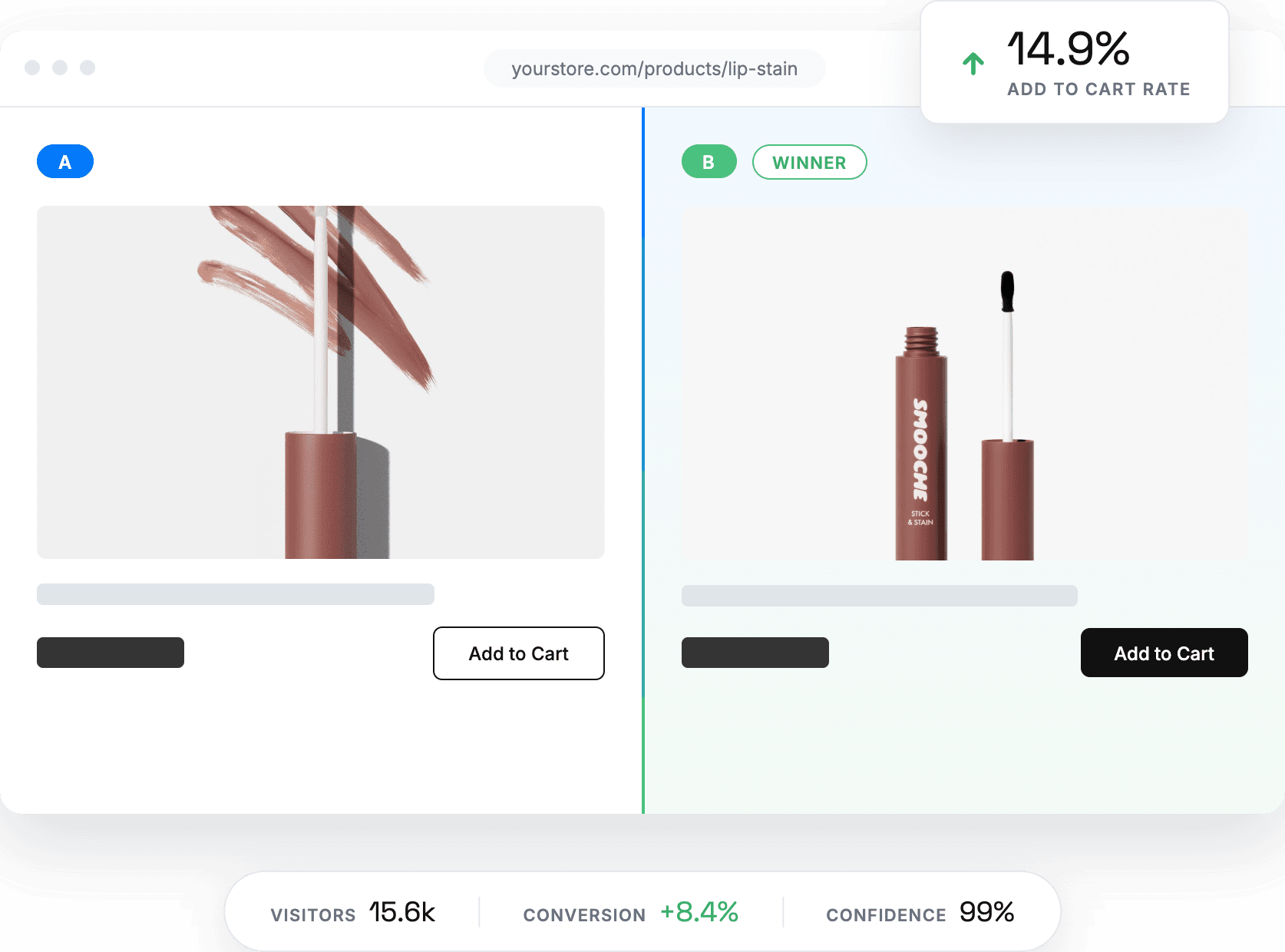
Your product image is the first thing a visitor judges and the last thing most stores test. Elevate lets you A/B test main product images across your catalog, upload new creative or generate it with AI, and measure the impact on revenue rather than guessing from click data. No theme edits, no duplicate products.
Start 14-day Free Trial
Elevate A/B Testing a successful Shopify product image experiment

Turn Creative Decisions Into Revenue Decisions

Test across your whole catalog

Image tests shouldn’t be limited to one hand-picked product. Choose exactly where the experiment runs — a single hero product or a hundred SKUs in one experiment:

  • Search your Shopify catalog by product title or ID
  • Filter by product type, collection, tag, or status
  • Select everything at once, or upload a CSV of the products to include
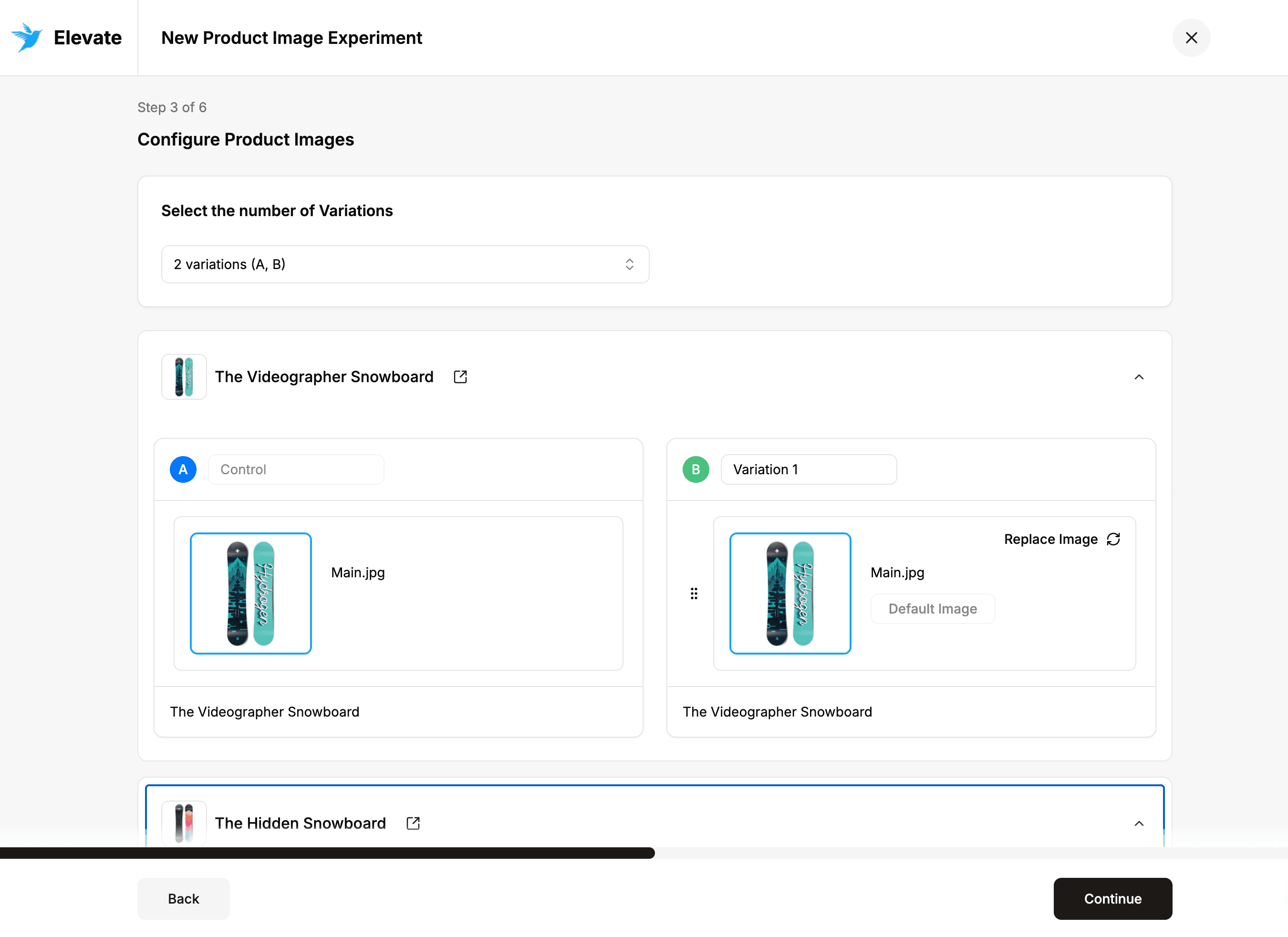
Elevate A/B Testing selecting Shopify products for a product image experiment

Bring your own image or generate one

Every test needs a challenger, and you don’t need a photoshoot to get one. Upload new creative from your device, pull an existing shot from your Shopify media library, or generate a variant with AI right inside Elevate.

That keeps testing moving at your pace: try a lifestyle scene against a studio shot, a new angle, or an AI-generated background — and have the next variant ready the moment a test concludes.
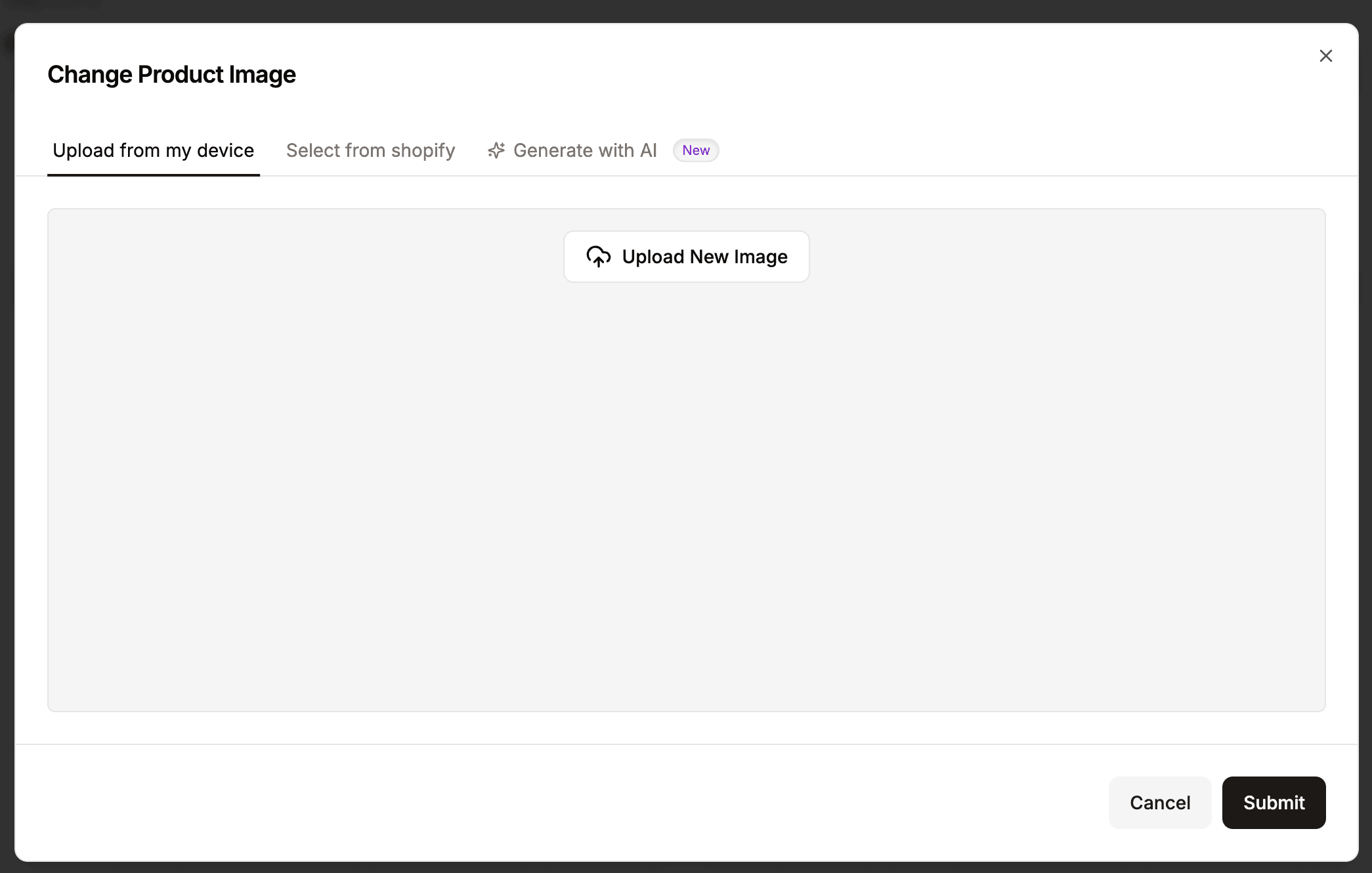
Elevate A/B Testing uploading or generating a product image variant

Measured on revenue, not clicks

Clicks can lie; revenue doesn’t. Pick the goal metric that decides the winner and let real purchase behavior settle the debate:

  • Revenue or profit per visitor for the truest bottom-line read
  • Conversion rate and average order value
  • Add-to-cart and checkout-start rates for earlier funnel signals

Every other metric is still calculated in the background, so you always see the full picture behind the winner.
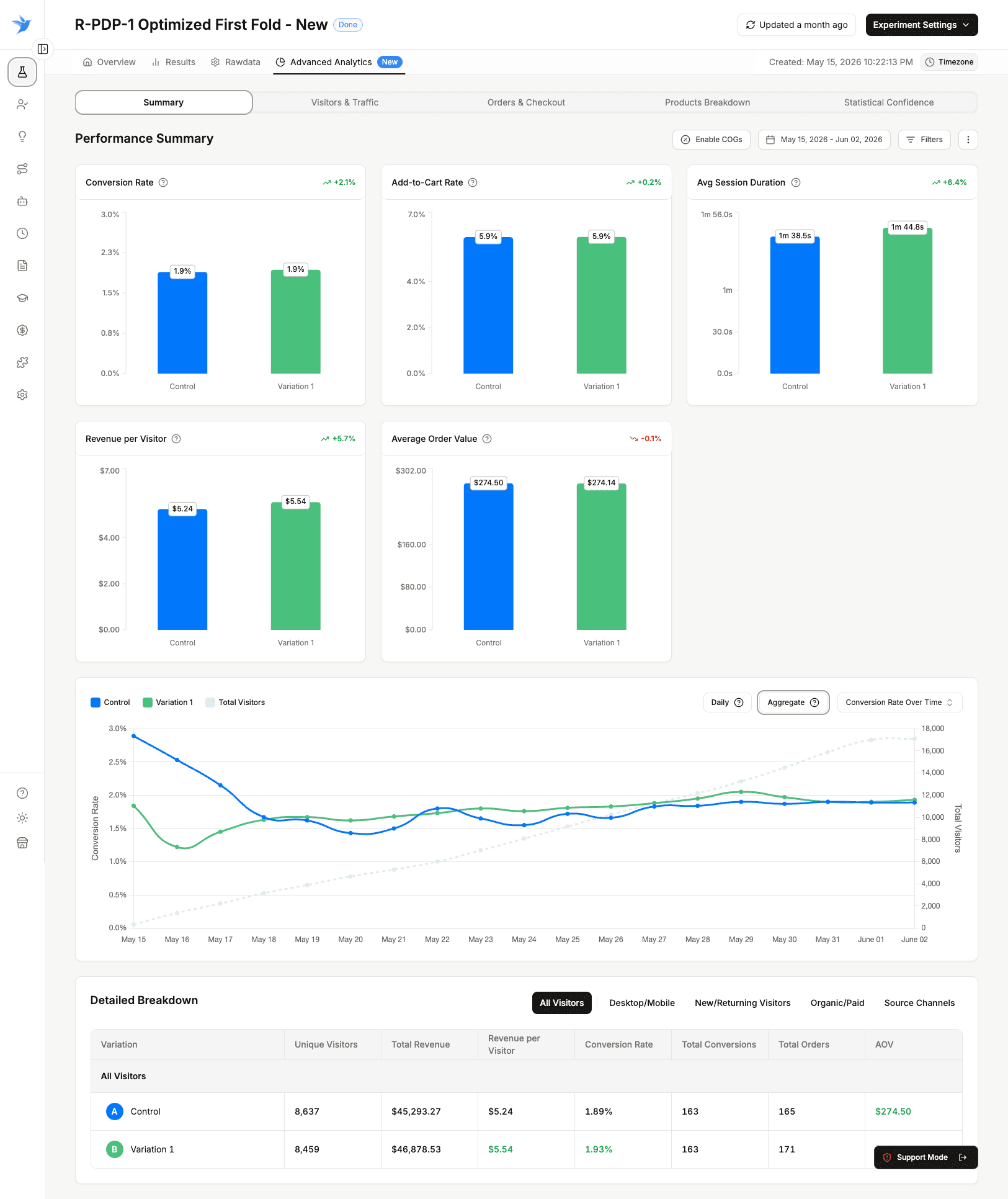
Elevate A/B Testing choosing the goal metric that decides the winner

No duplicate products, no theme edits

Elevate swaps images natively through its Shopify integration, so nothing is bolted onto your storefront: no duplicate products, no duplicate URLs, and your theme code is never touched.

Stop a test and your original images are restored immediately. Apply a winner and it goes live for every visitor — the lift is locked in without a developer ever getting involved.


Elevate A/B Testing selecting Shopify products for a product image experiment

Common Questions About Product Image Testing

No. Elevate swaps the image on your original product page through its native Shopify integration. There are no duplicate products, no duplicate URLs, and no SEO risk from cloned pages.

Three places. Upload new creative from your device, select an image already in your Shopify media library, or generate a variant with AI inside Elevate. Most teams start with images they already have before commissioning new creative.

As many as you want. Search and select individually, filter by collection, type, tag, or status, select your entire catalog in one click, or upload a CSV of product IDs.

Up to five, including the control. Each product in the experiment gets its own control and variation images, so you keep full control over what each SKU shows.

Revenue per visitor for most image tests, because a more attractive image can lift add-to-cart while doing nothing for revenue. Elevate calculates every other metric alongside it, so you can see whether an image improved intent, purchase, or both.

Your original images are restored immediately. If a variation won, you apply it across your store from the dashboard with one click.

No. Elevate runs on Shopify's native infrastructure rather than a client-side script that repaints your page after load, so visitors see their assigned image without a flicker or a delay.

What our clients say

Trusted by growing brands worldwide

Rated 5 out of 5
Came across this app after experimenting with Google optimize. I would say this is more user friendly to review impact of the test. Also, much easier to set up than Google Optimize in my opinion.
Nathan Yun, CEO at Paire

Nathan Yun

CEO at Paire

Rated 5 out of 5
I downloaded this app to conduct A/B tests on our different product pages, and it's the best one I've used so far. More than easy to set-up. 5 minutes after installing the app, you can run your first A/B test.
Jonathan Haddad, CMO at REPEAT

Jonathan Haddad

CMO at REPEAT

Rated 5 out of 5
I had a bit of a complicated set up and the Elevate Team was so helpful and patient working with me! Stellar customer service compared to other testing apps that I've worked with!
Becca Mijares, Founder at Romp Stomp

Becca Mijares

Founder at Romp Stomp

Elevate your sales with A/B testing

Make better business decisions