Visual A/B Testing for Shopify - Optimize Any Element Without Code

Transform your store's performance with Elevate's Visual Editor Testing. Point, click, and optimize any text, button, image, or element on your site. No technical skills required – just select what you want to test and watch your conversions improve.
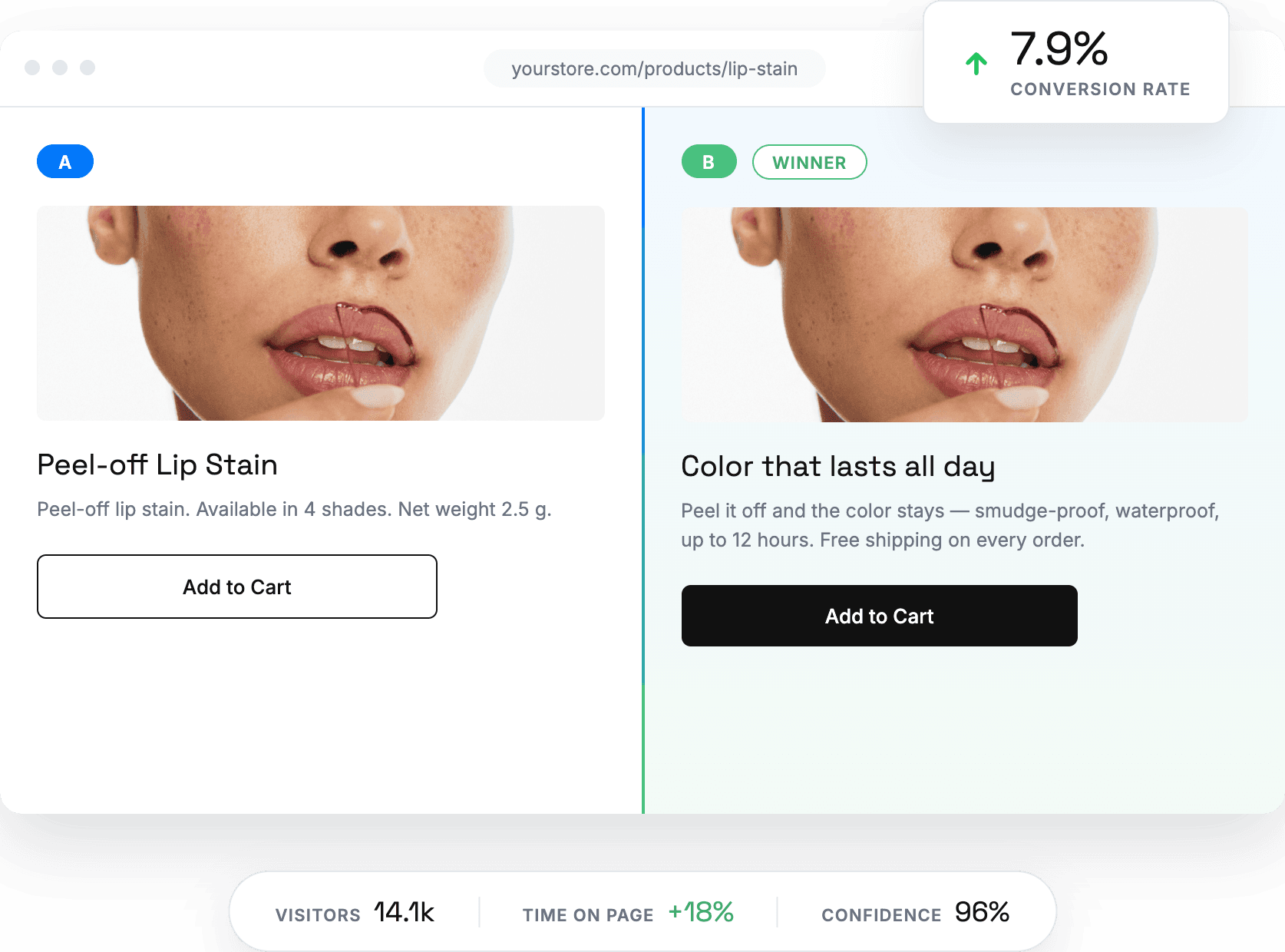
Start 14-day Free Trial
Visual Editor A/B Test Text Selection

Create High-Converting Variants in Minutes

Point and Click to Select

Testing starts on your live storefront, not in a separate mockup tool. Open the visual editor, point at any element, and click to select it — Elevate loads your real pages, so what you see is exactly what your customers see. Anything on the page is fair game:

  • Headlines, subheads, and product descriptions
  • Buttons, badges, and calls to action
  • Images, banners, and promotional sections
  • Entire layouts, from the hero to the footer
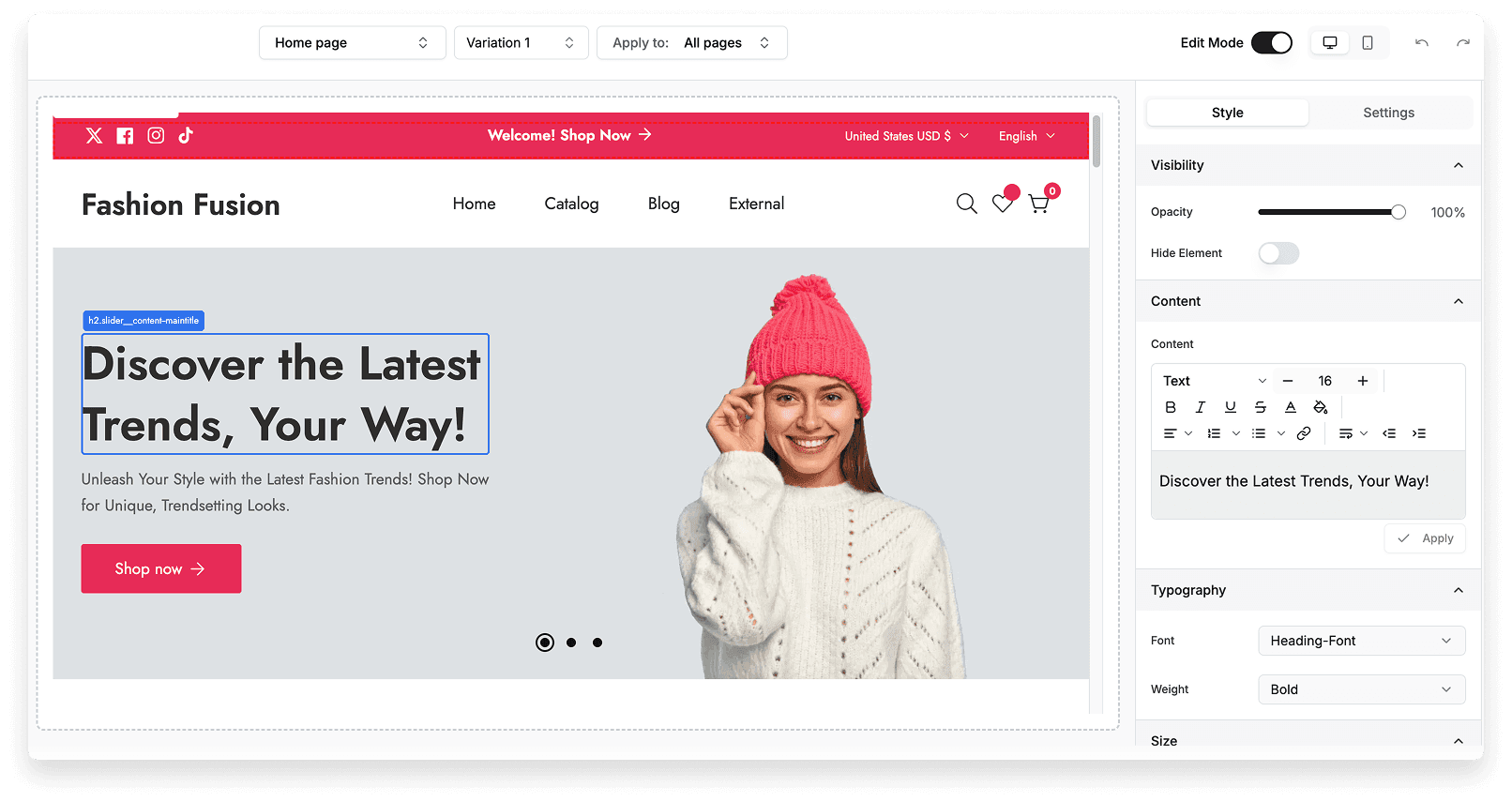
Visual editor test creation

Create Your Variants

Once an element is selected, edit it directly: rewrite the copy, swap a button color, replace an image, or redesign a whole section. Every change renders instantly, so you’re always looking at exactly what a visitor in that variant will experience.

Build one bold challenger or several restrained ones — a single test can compare multiple variants against your original. Your live store stays untouched until you start the test, so you’re free to experiment.
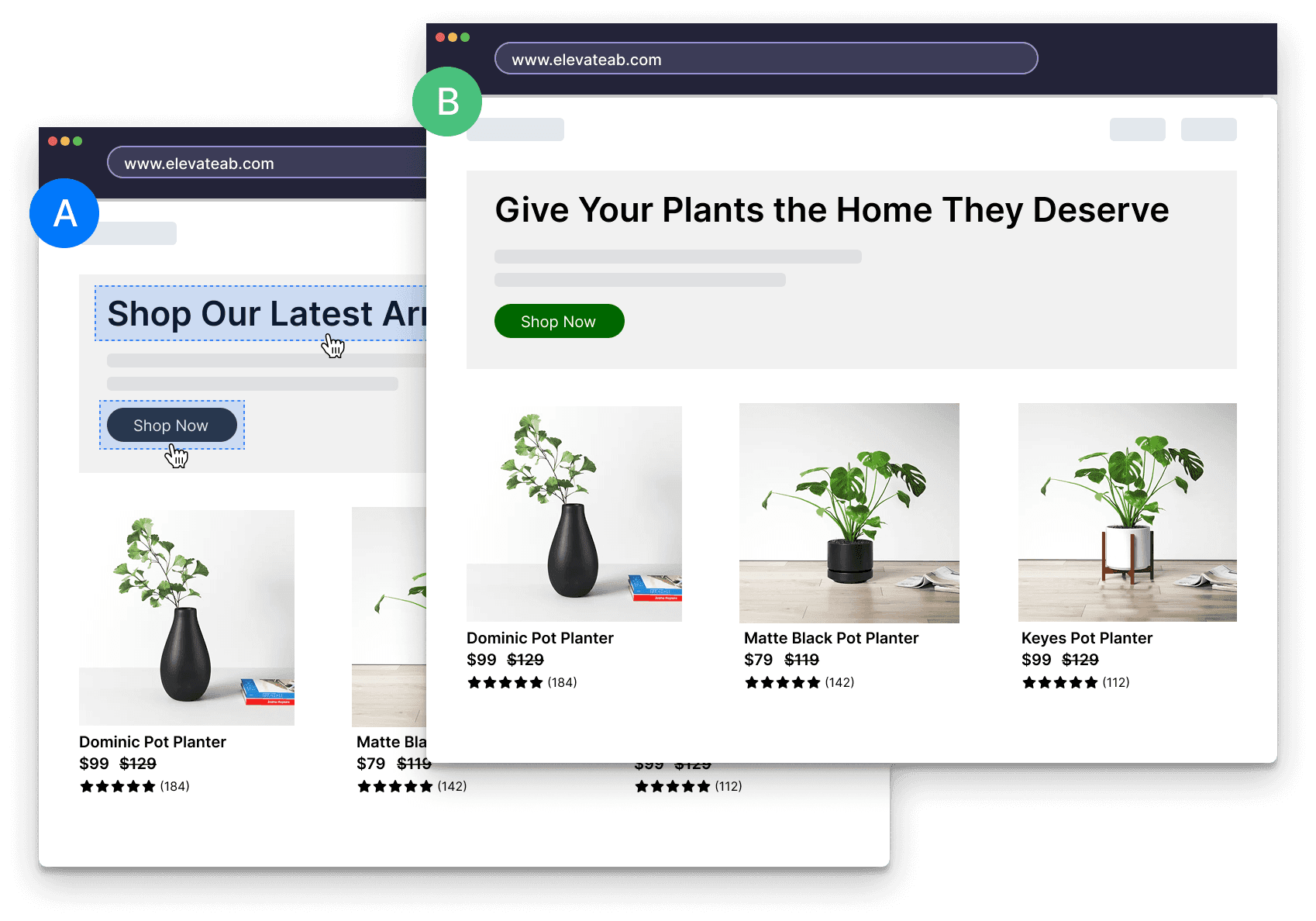
Visual editor test creation

Configure Your Test

A few clicks turn your variants into a controlled experiment. Elevate handles traffic splitting and the complex statistics automatically — you just make three decisions:

  • Audience — run the test for every visitor or a specific segment, like mobile shoppers or a single market
  • Duration — set an end date or let the test run until it reaches significance
  • Success metric — conversion rate, average order value, or revenue per visitor
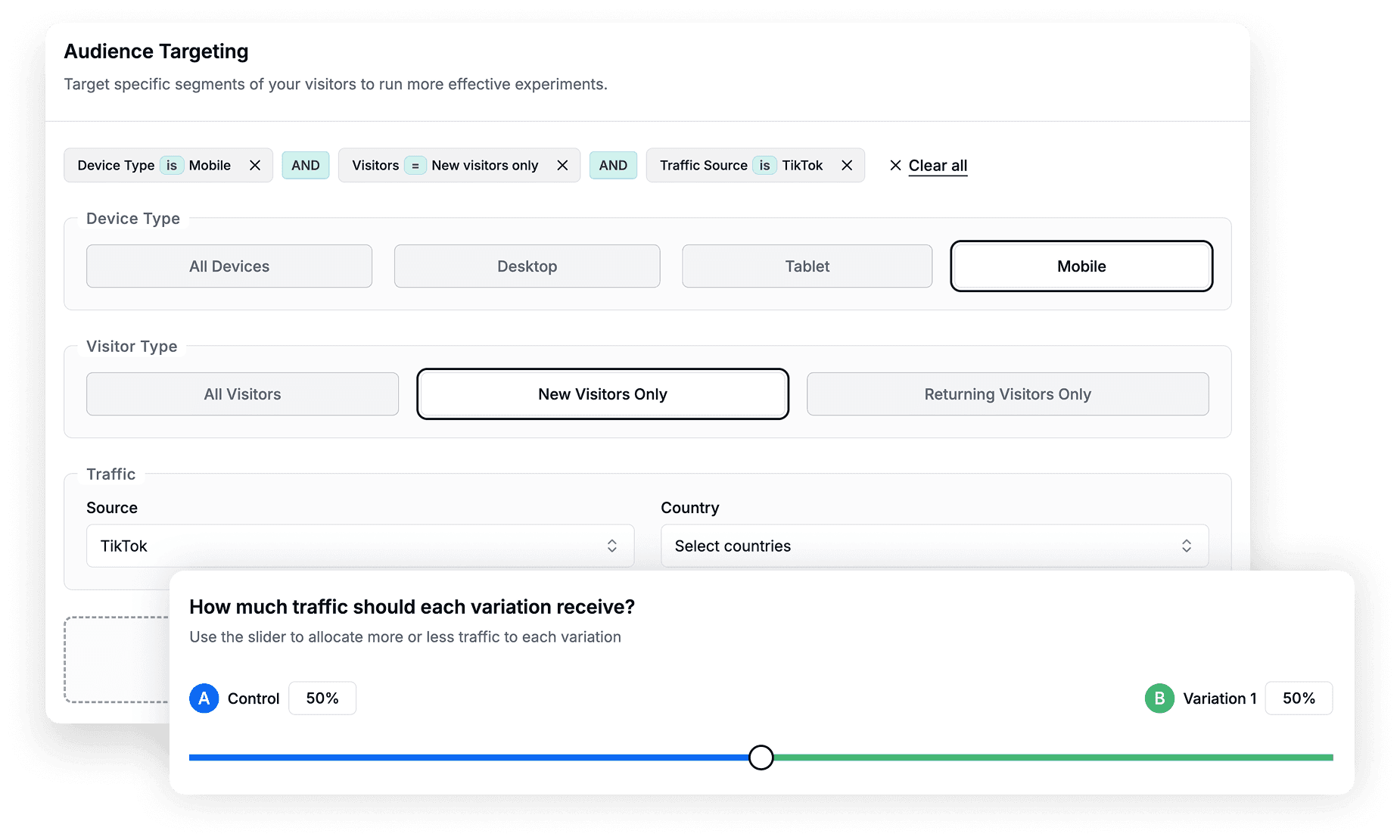
Edit audience targeting and traffic percentage allocation

Launch and Analyze

Hit launch and your test goes live in moments — no deploy, no theme update, no developer in the loop.

The dashboard tracks each variant in real time and tells you plainly which one is ahead and whether the lead is statistically significant, so you’re never guessing about when to call it.

When a winner emerges, one click implements it permanently for every visitor — and you can move straight on to the next test.
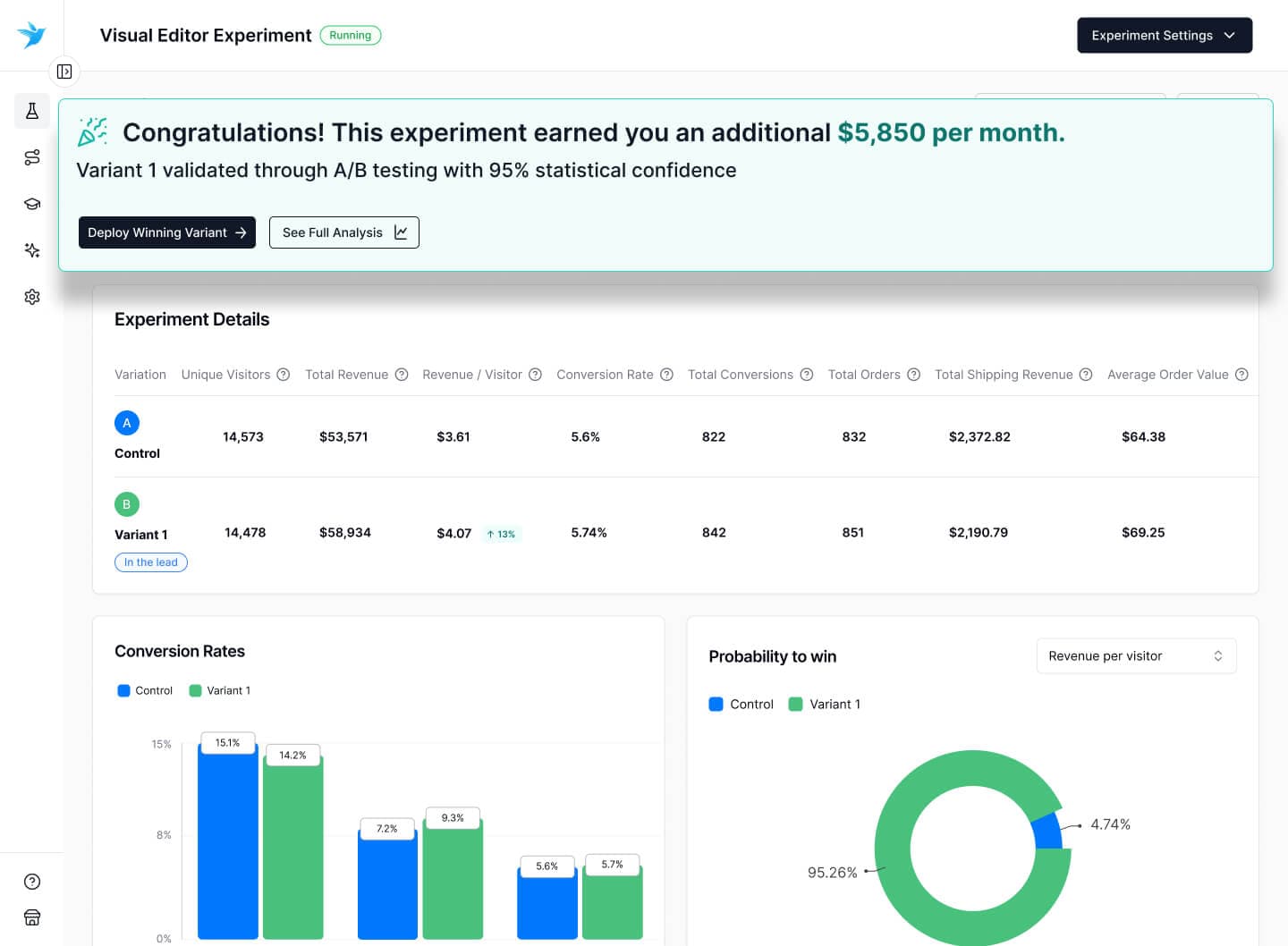

Visual Editor Experiment Completed

Common Questions About Visual Editor Testing

No, Elevate is built specifically for Shopify performance. Our visual editor only loads when you're actively creating tests, and the testing scripts are optimized to have zero impact on your store's loading speed. Your customers won't notice any difference in performance.

Not at all. If you can edit a document or use basic design tools, you can use our Visual Editor. Simply point and click on any element you want to test, make your changes using our intuitive interface, and launch your test. No coding, HTML, or technical skills required.

You can test virtually anything on your Shopify store: headlines, product descriptions, button text and colors, images, pricing displays, shipping messages, entire sections, and even page layouts. If you can see it on your store, you can test it with our Visual Editor.

You have complete control at all times. You can pause, stop, or completely revert any test with a single click. All changes are safely contained within the testing environment, so your original store remains untouched until you choose to implement a winning variant permanently.

What our clients say

Trusted by growing brands worldwide

Rated 5 out of 5
Came across this app after experimenting with Google optimize. I would say this is more user friendly to review impact of the test. Also, much easier to set up than Google Optimize in my opinion.
Nathan Yun, CEO at Paire

Nathan Yun

CEO at Paire

Rated 5 out of 5
I downloaded this app to conduct A/B tests on our different product pages, and it's the best one I've used so far. More than easy to set-up. 5 minutes after installing the app, you can run your first A/B test.
Jonathan Haddad, CMO at REPEAT

Jonathan Haddad

CMO at REPEAT

Rated 5 out of 5
I had a bit of a complicated set up and the Elevate Team was so helpful and patient working with me! Stellar customer service compared to other testing apps that I've worked with!
Becca Mijares, Founder at Romp Stomp

Becca Mijares

Founder at Romp Stomp

Elevate your sales with A/B testing

Make better business decisions